About this website
This is the 11th iteration of my personal website. You can read about the previous iterations in my website history. This website serves as:
- My digital garden
- The public portion of my second brain
Overview
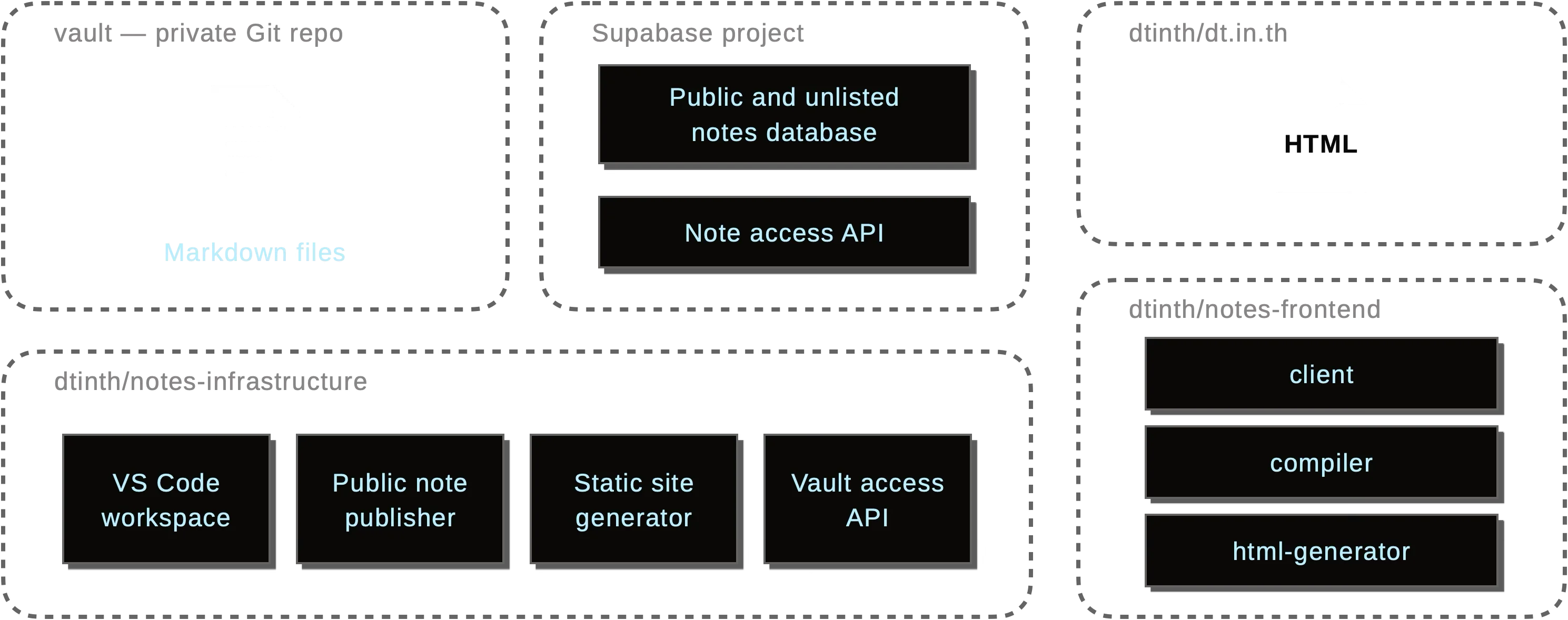
Component descriptions
| Component | Description |
|---|---|
| vault | The private GitHub repository that stores all my notes in flat Markdown files. |
| notes-infrastructure | The infrastructure repository that contains the VS Code workspace, publishing script, static site generator, vault access API, and other tools. |
| notes-frontend | The frontend repository that provides the building blocks for generating the website, containing: client (the client-side script that runs in the browser), compiler (translates Markdown to HTML+CSS+JS), and html-generator (that takes the compiled output and generates static HTML files). |
| dt.in.th | The GitHub Pages repository that hosts the static files of this website. |
| Supabase | The backend-as-a-service platform that hosts the public notes database and the notes API. |
The system handles three types of content:
- Private notes: My personal thoughts and drafts, visible only to me
- Unlisted notes: Shareable content accessible via direct links
- Public notes: Fully indexed content that forms this website
All notes are written in enhanced Markdown that supports custom CSS, JavaScript, arbitrary HTML, footnotes1, as well as custom directives, so that some pages can be made interactive. You can view the source code of any public note by appending .md to the URL.
The publishing system automatically compiles these into optimized web pages with different delivery methods depending on the visibility level.
Authoring notes
On a desktop, I use VS Code to write notes.
I built a custom VS Code extension (source code) that provides:
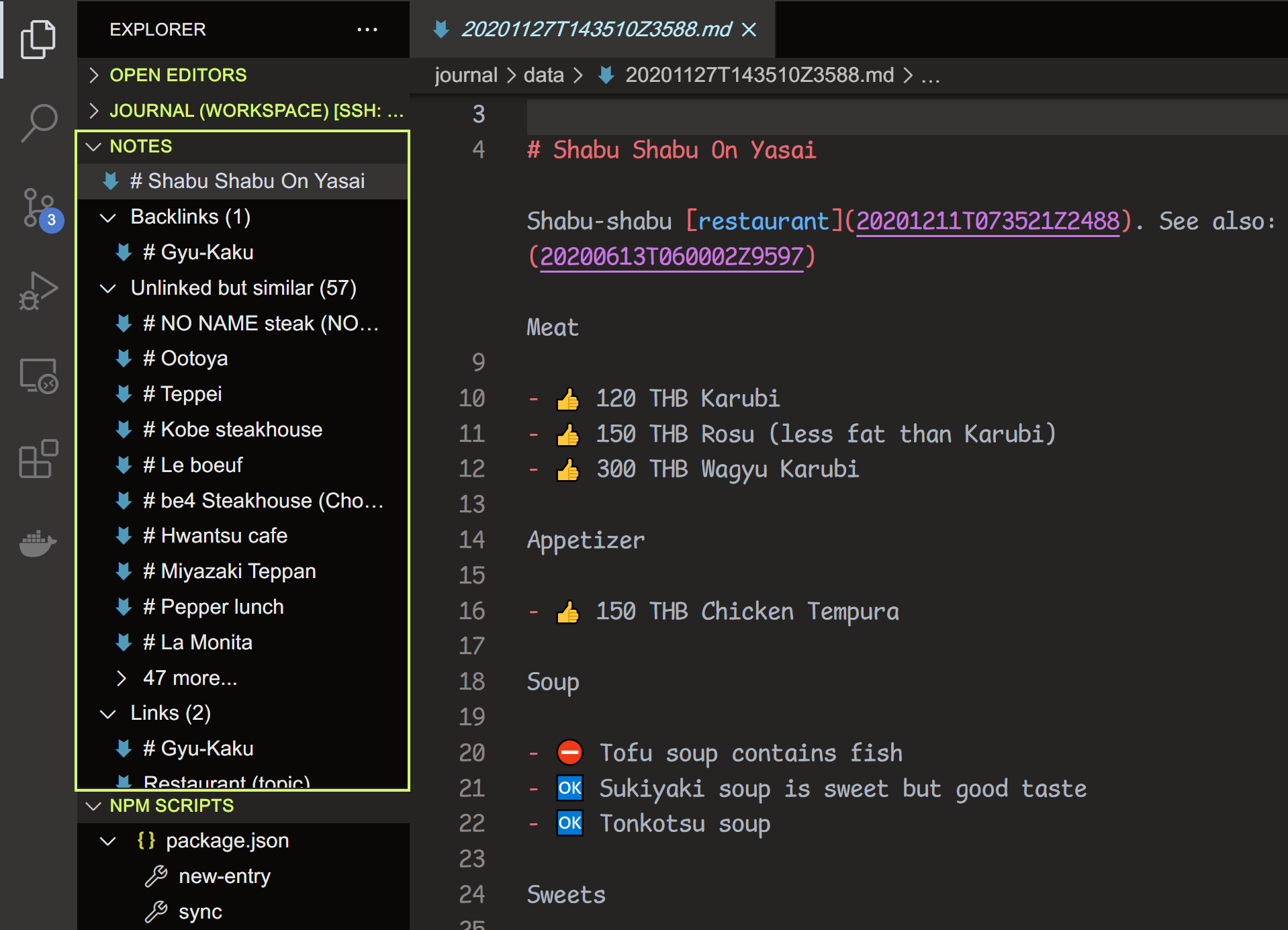
- A sidebar that shows backlinks, outgoing links, and textually-similar notes in a sidebar
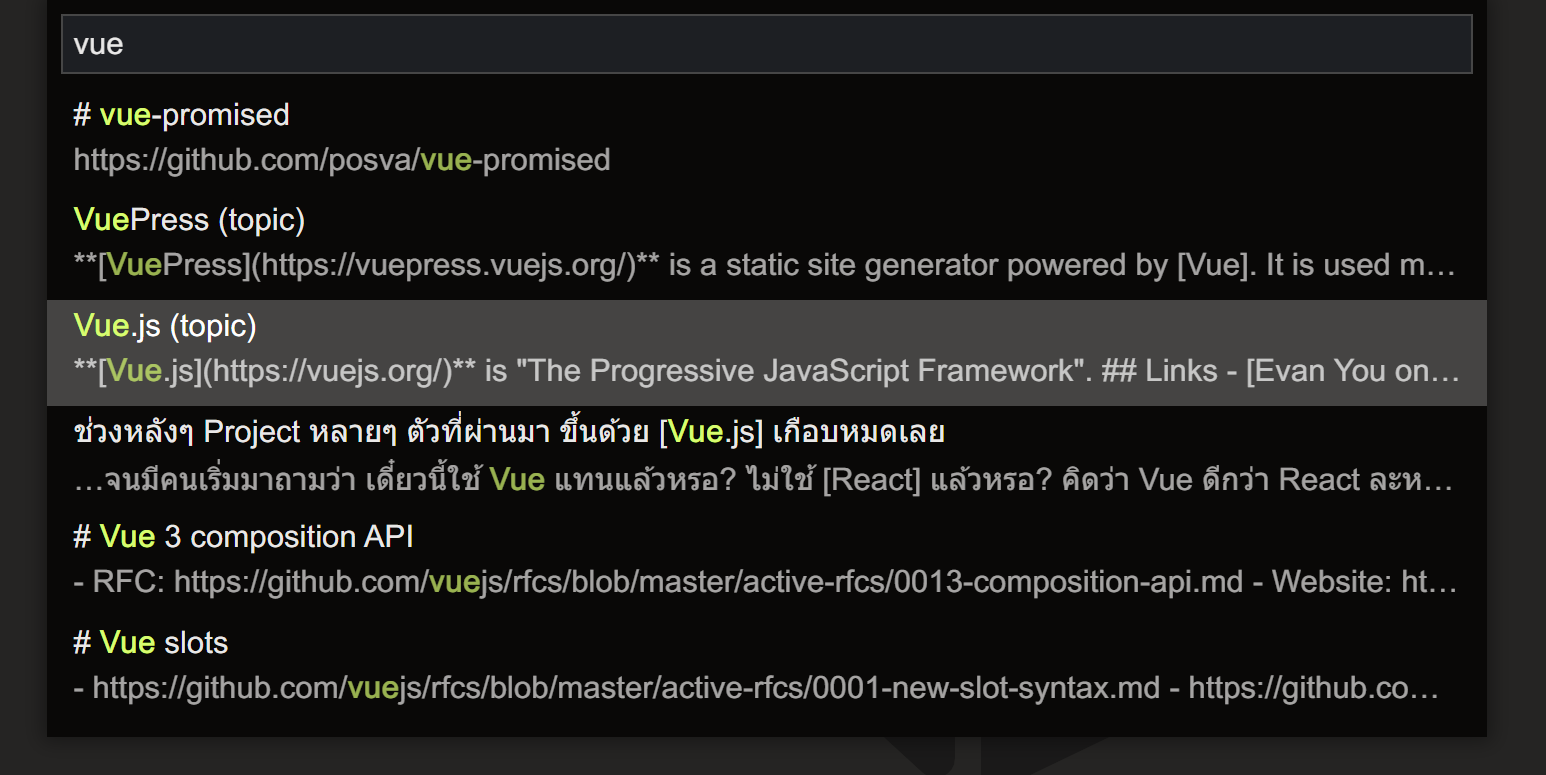
- A full-text search feature that searches through all notes and allow me to easily link notes together
I use this linking approach because I'm very low on conscientiousness. No matter how hard I try, my Notion and Confluence sidebars always end up being an unusable mess. So I stopped organizing notes into folders and started linking them together instead.
I have a VPS running (the vault server) that hosts:
- A VS Code workspace that I can connect to using the Remote - SSH extension
- The vault repository, cloned locally
- The vault access API that lets me fetch private notes from the vault when I'm browsing the website while authenticated
Using a remote server lets me centralize the notes and edit them from any computer without doing manual git operations. When migrating to a new machine, I do this to set up.
Publishing workflow
When I run the publish command:
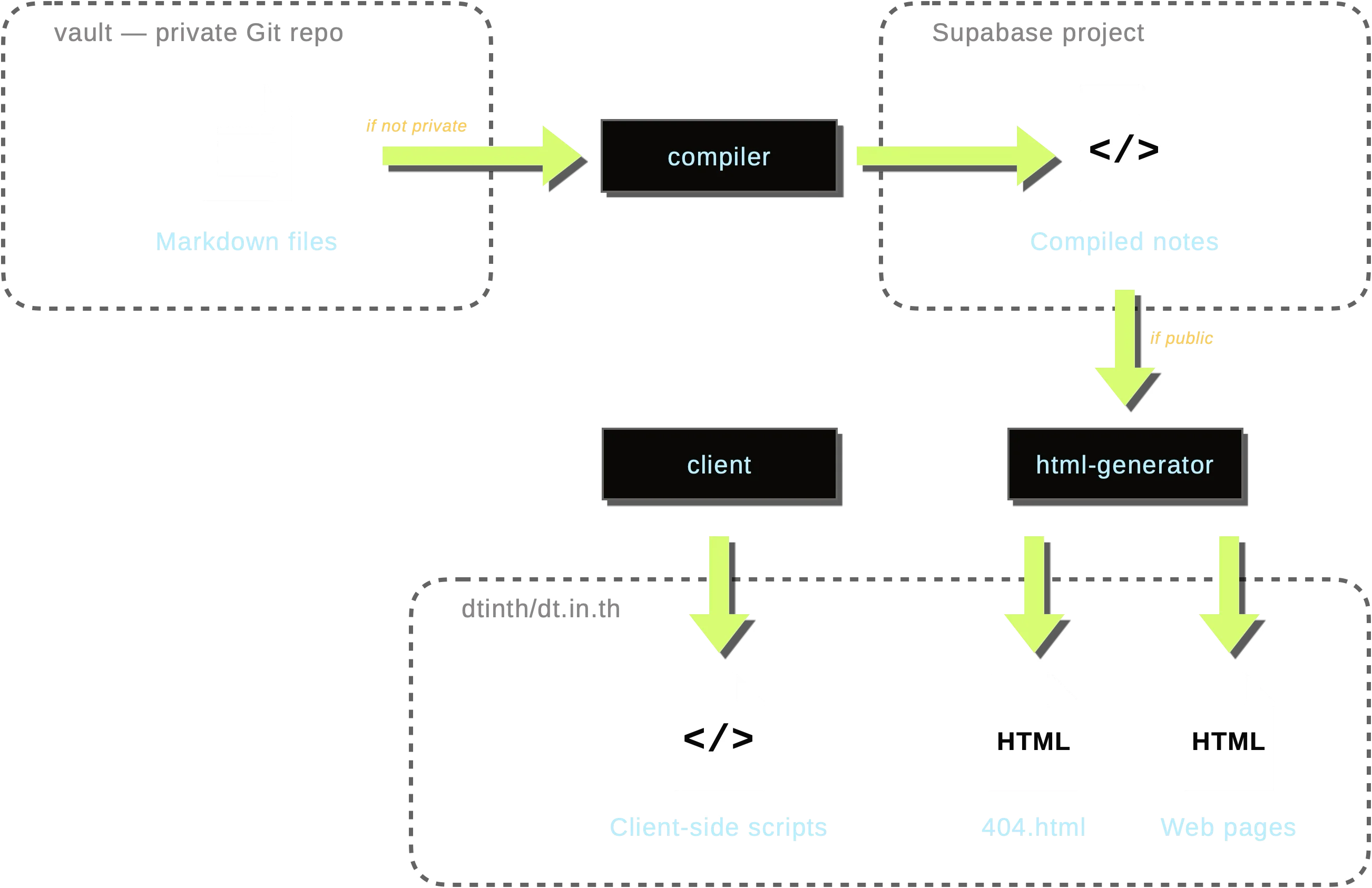
- Private notes remain in the vault and are not uploaded anywhere
- Unlisted notes are compiled and uploaded to a Supabase database
- Public notes are compiled, uploaded to the database, and then built into a static website
How notes are served
- Public notes are pre-compiled into static HTML files. When you visit a public note, you're loading a static file with no database calls.
- Unlisted notes are stored in the Supabase database. When you visit an unlisted note, you'll hit a 404 page first, then client-side code fetches the note from the database and displays it. As the note is precompiled, it loads very quickly since no compilation is needed on the client side.
- Private notes are stored in the vault. When I view the private note, first I hit the 404 page, but then the client-side code authenticates me and fetches the note from the vault server. The note is then compiled live in the browser, allowing for hot reloading during editing.
History
This system has been through 3 major iterations.
- The first version (January 2020) is powered by Nuxt and hosted on Vercel.
- The second version (July 2022) is powered by Next.js and hosted on Vercel. In the first and second version, the notes are loaded from the GitHub repository at runtime, with some access control to prevent unauthorized access to private notes.
- The third version (September 2024) is a static site and hosted on GitHub Pages. The public notes are published as HTML files to GitHub. Unlisted notes are uploaded to Supabase and dynamically fetched at runtime (using
404.htmlmechanism in GitHub Pages). Private notes are not published.
Footnotes
I use footnotes for tangential but related stuff, so that I can say what I want without interrupting the main flow of the note. ↩