Grist recently added support for service accounts in v1.7.5, which can be enabled in self-hosted instances. However, there is currently no UI for managing service accounts, so this note documents how to create and use them via the Grist API.
What and why
Prior to v1.7.5, to work with Grist documents programmatically, one would have to create an API key for a user. This API key would be able to access all documents that the user has access to, which is not ideal from a security standpoint. For finer-grained access control, one would have to create a dedicated user account for each workload, which is cumbersome. (For temporary, single-document access from a custom widget, see Using Grist API from a custom widget.)
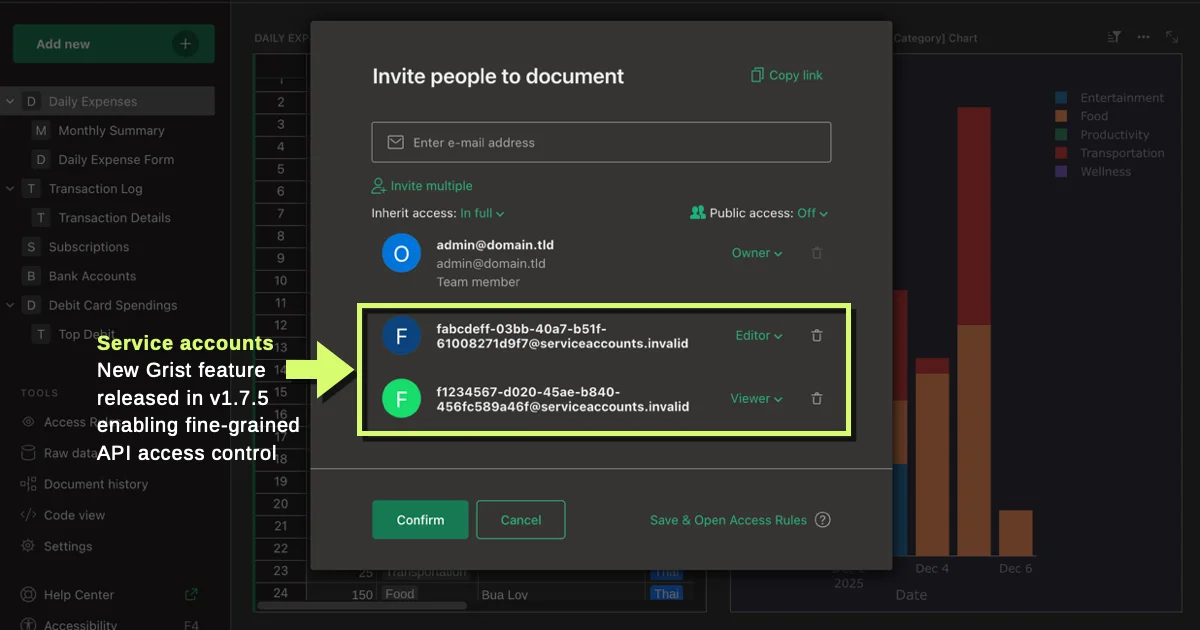
Since v1.7.5, with this feature enabled in your instance, a user can create a service account for each workload, each with its own API key, then grant each service account access to only the documents it needs. A service account:
- Belongs to a user (the "owner")
- Has an email address in the format
…@serviceaccounts.invalid - Can be granted access to documents via sharing, just like a regular user
- Has its own API key, which can be used the same way as a user API key
- Cannot log in to the Grist web UI
Creating and using a service account
As aforementioned, currently service accounts can only be created via the Grist API. Thankfully, Grist has a built-in API console. To create a service account:
- Open any Grist document, then go to Settings → API → API console.
- Scroll down to
POST /service-accountsand click on it to expand the section. - Click Try it out.
- Set the
label,description, andexpiresAtfields as desired. - Click Execute to create the service account.
The Response body will look like this:
{
  "id": 3,
  "login": "e8c547b8-96a3-4609-8e05-097747919423@serviceaccounts.invalid",
  "key": "77c0e23d8ffae6de7a9473e7f7d7238427f0656e",
  "label": "testing",
  "description": "For data update workflow",
  "expiresAt": "2042-10-10T00:00:00.000Z",
  "hasValidKey": true
}
Here are the important fields:
| Field | Description | When to use it |
|---|---|---|
login | The service account's email address. | When sharing documents with the service account. |
key | The service account's API key. | When using the Grist API. |
id | The service account's numeric ID. | When updating or deleting the service account. |
Regardless of which document you open the API console from, the service account will be created under your user account, and is not tied to any specific document. This means you can reuse the same service account across multiple documents.