Upserting data into Grist using n8n
Although n8n offers a built-in Grist integration, it currently doesn't support the upsert operation. Therefore, we will need to use the HTTP Request node to interact with Grist's API directly.
The key to efficient upserting is to batch multiple records into a single API request, rather than making one request per record. The Grist API supports batched upserts, which significantly improves performance.
I am submitting a pull request to n8n to add native upsert support to the Grist node. If accepted, this will simplify the workflow significantly. Upvote the PR if you would like to see this feature added.
Prerequisites
- An n8n instance set up and running
- A Grist account with an API key
- A Grist document and table where you want to upsert data
Setting up credentials
While n8n has built-in Grist credentials, as of n8n@1.106.0, they are not usable with the HTTP Request node. So we need to create a separate Generic Credential here.
- In n8n, create a new Header credential, name it “Grist”.
- Set the “Name” field to “Authorization”.
- In the “Value” field, enter “Bearer [your Grist API key]”.
- Save the credential.
Workflow Steps
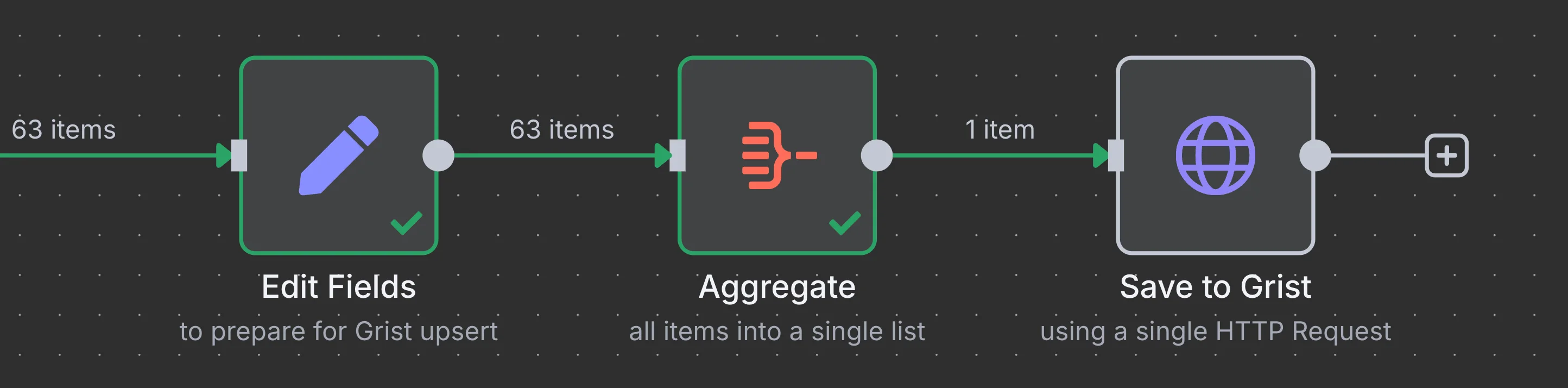
The efficient approach involves 3 steps to batch all records into a single API request:
Step 1: Edit Fields - Prepare Data Structure
Add an "Edit Fields" node to transform your data into the format required by the Grist API.
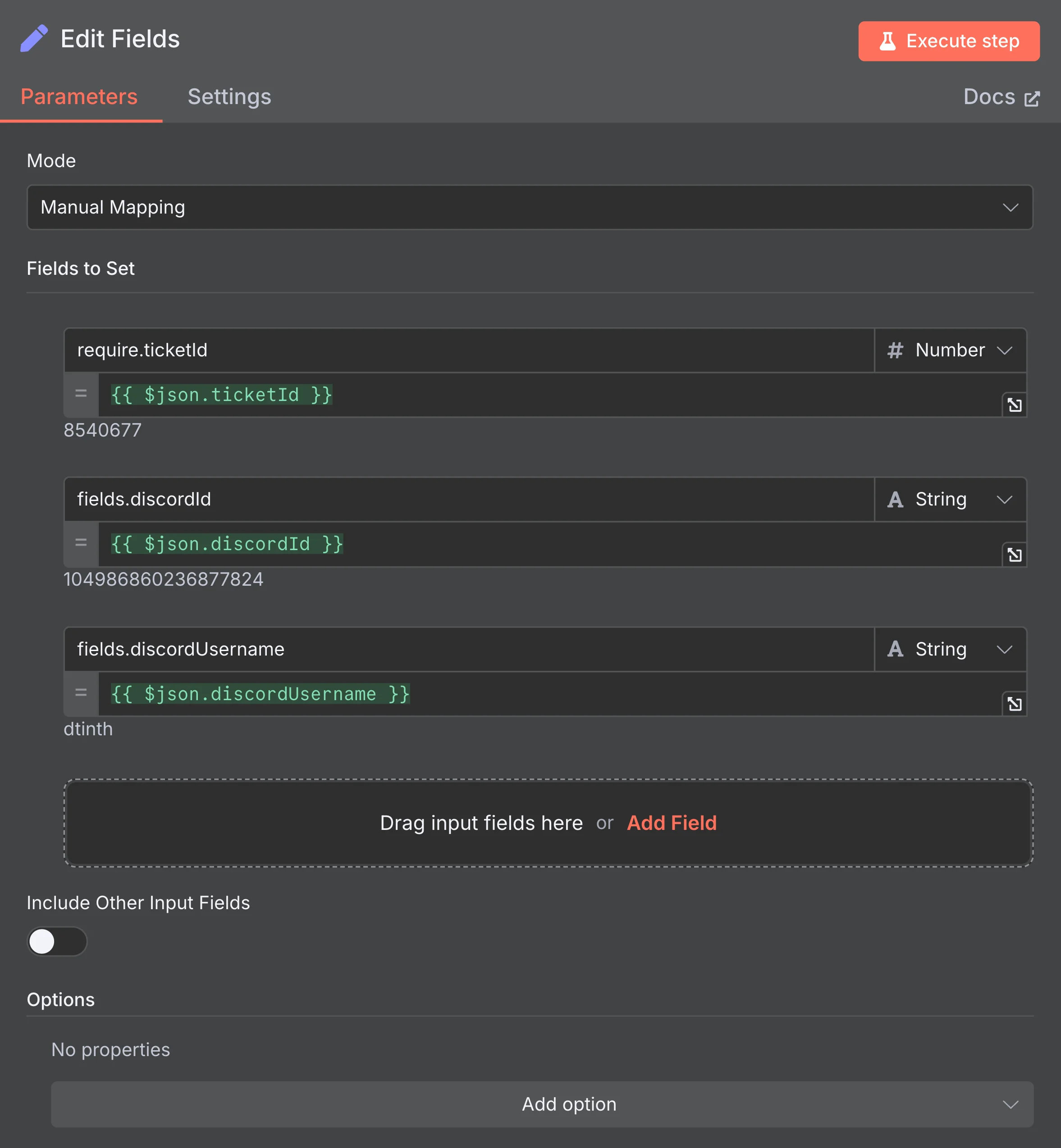
Use dotted property syntax to create nested objects. For example:
require.ticketId→{{ $json.ticketId }}fields.discordId→{{ $json.discordId }}fields.discordUsername→{{ $json.discordUsername }}
This creates objects with the structure:
{
  "require": { "ticketId": 8540677 },
  "fields": { "discordId": "104986860236877824", "discordUsername": "dtinth" }
}
Step 2: Aggregate - Combine All Items
Add an "Aggregate" node to combine all individual items into a single array. See the Aggregate node documentation for details.
Configure the Aggregate node:
- Aggregate: All Item Data (Into a Single List)
- Put Output in Field:
data - Include: All Fields
Step 3: HTTP Request - Batch Upsert
Add an "HTTP Request" node for the final API call.
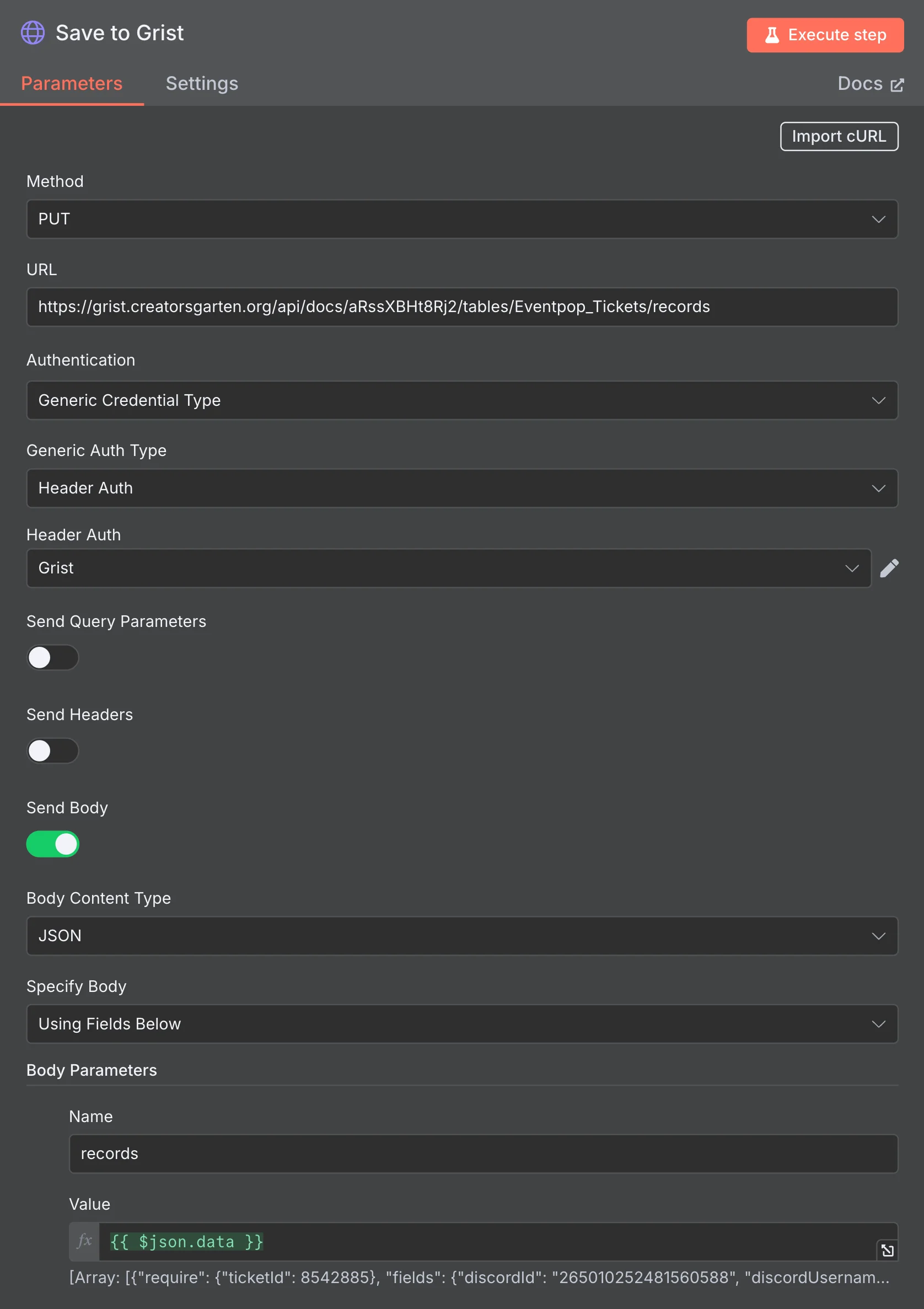
Configure the HTTP Request:
- Method: PUT
- URL:
https://{instance}/api/docs/{docId}/tables/{tableId}/records - Authentication: Generic Credential Type → Header Auth → “Grist”
- Send Body: Enabled
- Body Content Type: JSON
- Specify Body: Using Fields Below
- Body Parameters:
- Name:
records - Value:
{{ $json.data }}(takes the aggregated array from the previous step)
- Name:
The records parameter should contain the array of objects with require and fields keys:
- require: Fields used for matching existing records (for upsert logic)
- fields: Fields to update or create