The default Playwright GitHub Actions workflow uploads HTML reports as workflow artifacts. This is trivial to set up, but viewing them is inconvenient1.
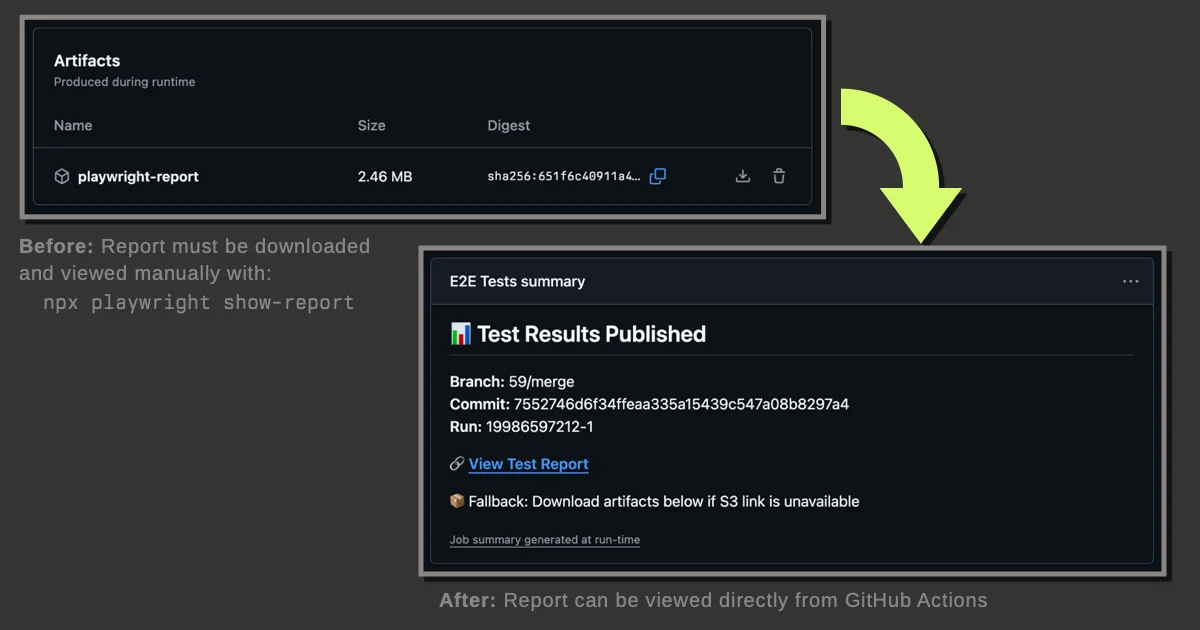
A solution is to upload the report to an Object Storage service for direct browser access. This note documents my implementation and my choice of object storage providers.
Implementation
Here's the GitHub Actions workflow addition:
- name: Publish test results to object storage
  continue-on-error: true
  run: |
    # Install Rclone
    curl https://rclone.org/install.sh | sudo bash

    # Upload playwright report
    rclone copy playwright-report/ publish:$PUBLISH_BUCKET/$PUBLISH_KEY/playwright-report/ --progress

    # Print report URL for CI logs
    REPORT_URL="$REPORT_URL_PREFIX/$PUBLISH_KEY/playwright-report/index.html"
    echo "📊 Test report published: $REPORT_URL"

    # Generate preview URL and add to step summary
    echo "## 📊 Test Results Published" >> $GITHUB_STEP_SUMMARY
    echo "" >> $GITHUB_STEP_SUMMARY
    echo "**Branch:** ${{ github.ref_name }}" >> $GITHUB_STEP_SUMMARY
    echo "**Commit:** ${{ github.sha }}" >> $GITHUB_STEP_SUMMARY
    echo "**Run:** ${{ github.run_id }}-${{ github.run_attempt }}" >> $GITHUB_STEP_SUMMARY
    echo "" >> $GITHUB_STEP_SUMMARY
    echo "🔗 **[View Test Report]($REPORT_URL)**" >> $GITHUB_STEP_SUMMARY
    echo "" >> $GITHUB_STEP_SUMMARY
    echo "📦 Fallback: Download artifacts below if S3 link is unavailable" >> $GITHUB_STEP_SUMMARY
  env:
    PUBLISH_BUCKET: ghartifacts
    PUBLISH_KEY: ${{ github.repository }}/${{ github.run_id }}-${{ github.run_attempt }}
    REPORT_URL_PREFIX: https://ghartifacts.t3.storage.dev
    RCLONE_CONFIG_PUBLISH_TYPE: s3
    RCLONE_CONFIG_PUBLISH_PROVIDER: Other
    RCLONE_CONFIG_PUBLISH_REGION: auto
    RCLONE_CONFIG_PUBLISH_ACL: public-read
    RCLONE_CONFIG_PUBLISH_ENDPOINT: https://t3.storage.dev
    RCLONE_CONFIG_PUBLISH_ACCESS_KEY_ID: your_access_key_id
    RCLONE_CONFIG_PUBLISH_SECRET_ACCESS_KEY: ${{ secrets.RCLONE_CONFIG_PUBLISH_SECRET_ACCESS_KEY }}
  if: always() && hashFiles('playwright-report/**/*') != ''
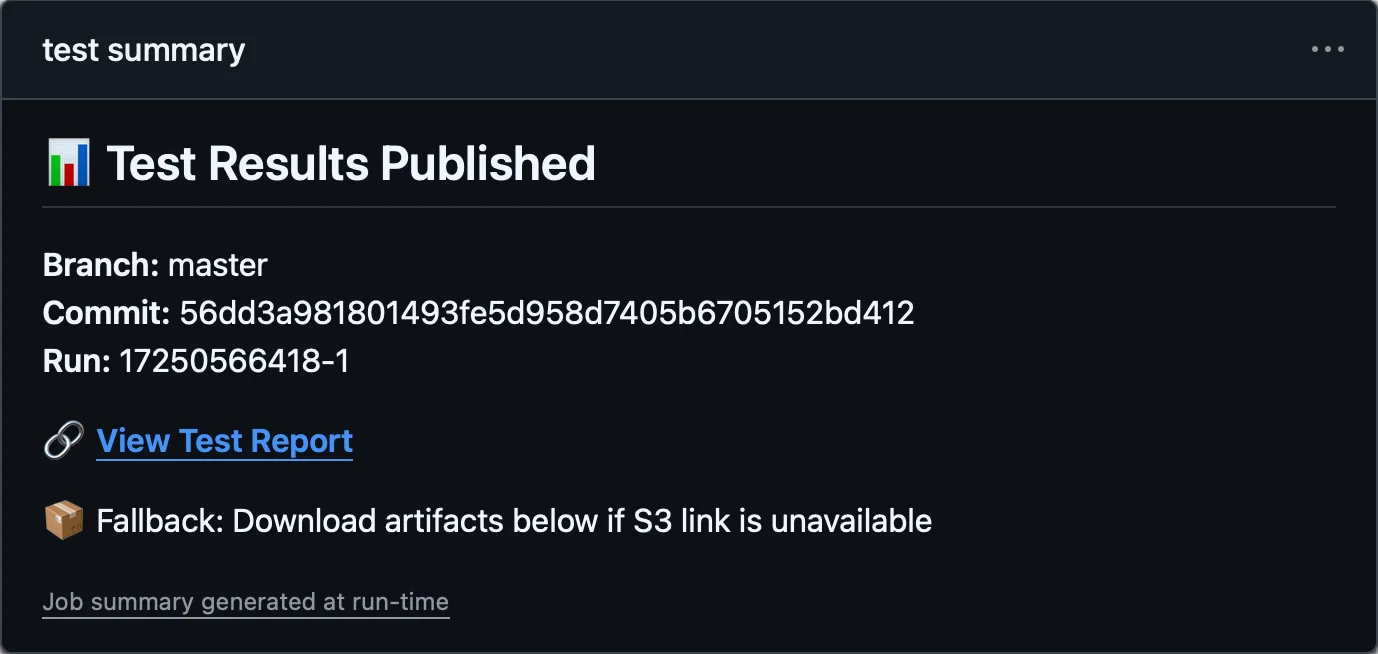
This generates a job summary like this:
Object storage options
As of August 2025, here are some S3-compatible storage providers I use:
International:
- Tigris - free tier without billing setup, zero egress fees, fine-grained access keys
- Linode Object Storage and DigitalOcean Spaces both start at $5/month for 250 GiB of storage
- Cloudflare R2 - zero egress fees, generous free tier but requires billing setup
Thailand region:
- NIPA Cloud - prepaid, has 2 regions (Bangkok and Nonthaburi)
- Inspace Cloud - prepaid, unmetered bandwidth, but access keys can access all buckets
In this example, I use Tigris for open source project reports.
Tigris setup
In Tigris, I created:
- A single bucket shared across multiple projects (
ghartifacts) - An access key for each GitHub repository
- An IAM policy for each access key to restrict permissions to the specific subfolder.2
To onboard a new project I do this:
Create a new Access Key.
Create a new IAM Policy with the following JSON:
{
  "Version": "2012-10-17",
  "Statement": [
    {
      "Effect": "Allow",
      "Action": "s3:*",
      "Resource": "arn:aws:s3:::ghartifacts/dtinth/$PROJECT_NAME/*"
    }
  ]
}
In the Access Key settings, link the newly created IAM Policy to the Access Key.
Lifecycle management
To avoid accumulating storage usage indefinitely, set up lifecycle policies or lifecycle rules in your object storage provider to automatically delete old reports after a certain period.
Footnotes
I had to download a zip file, extract it, and view locally, which works fine until I want to view traces, because Playwright’s Trace Viewer doesn’t work with the
file://protocol and require runningnpx playwright show-reportto launch a local web server. ↩Unlike AWS where policies are attached to users, Tigris allows attaching (i.e. “linking”) policies to access keys directly. ↩