Gangprompting
Gangprompting (a.k.a. ‘multiplayer AI’) means several people prompting an AI agent together in one group channel (e.g. Discord).
It can help teams learn to collaborate effectively with AI agents, break down information silos, and reduce bottlenecks.
The term “gangprompting” came from a post by dax (@thdxr) on June 10, 2026. Multiple commercial solutions exist in this space, such as Claude Tag and the new Slackbot. They can be costly.
A cheaper alternative would be to loop the coding agent that you already use into a group chat. This note shows you how to do that. I also published gangprompting-skill, which you can use right away.
How it works
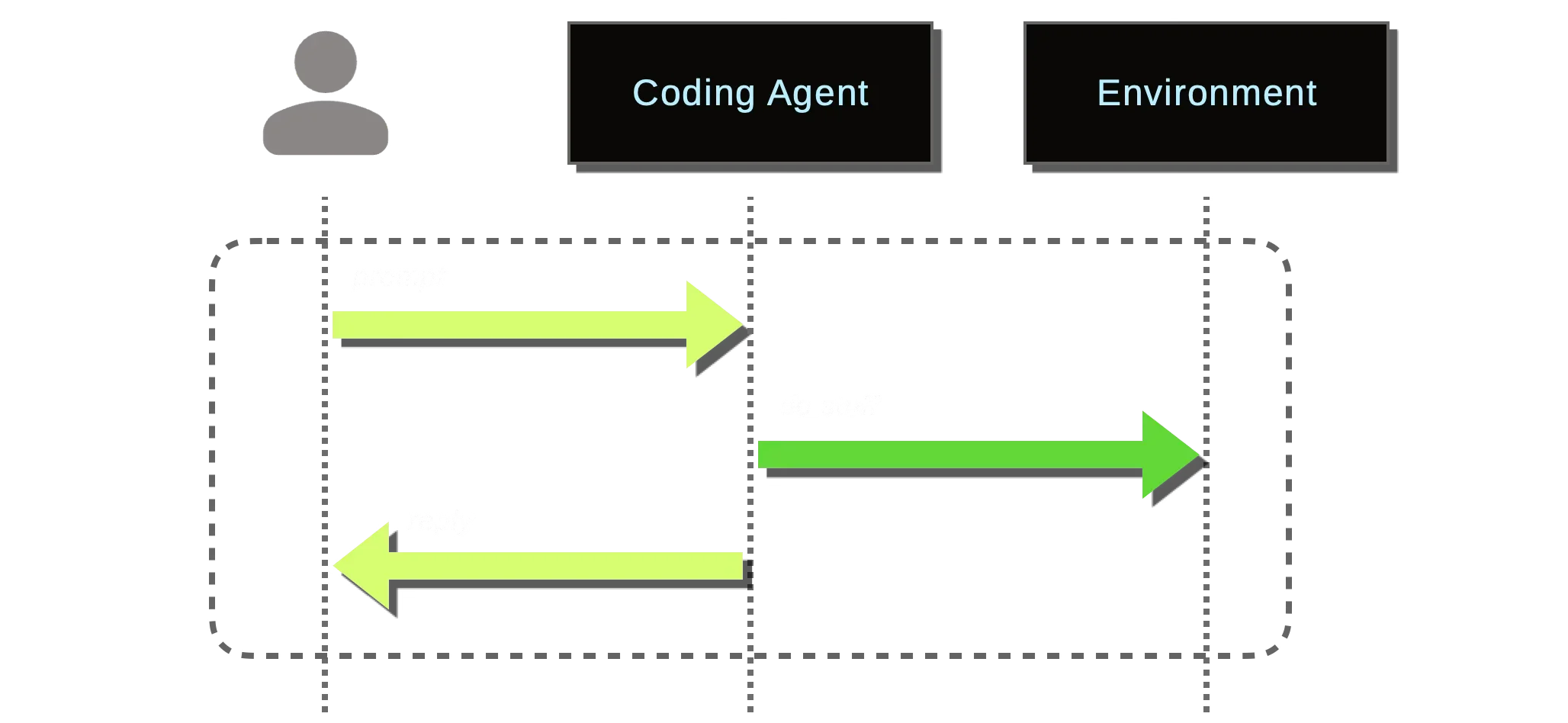
When using a coding agent, it normally goes like this:
- You send it a prompt.
- It does stuff.
- Then it sends you a reply.
And the loop keeps going until you’re done.
To gangprompt, I adjust the loop like this:
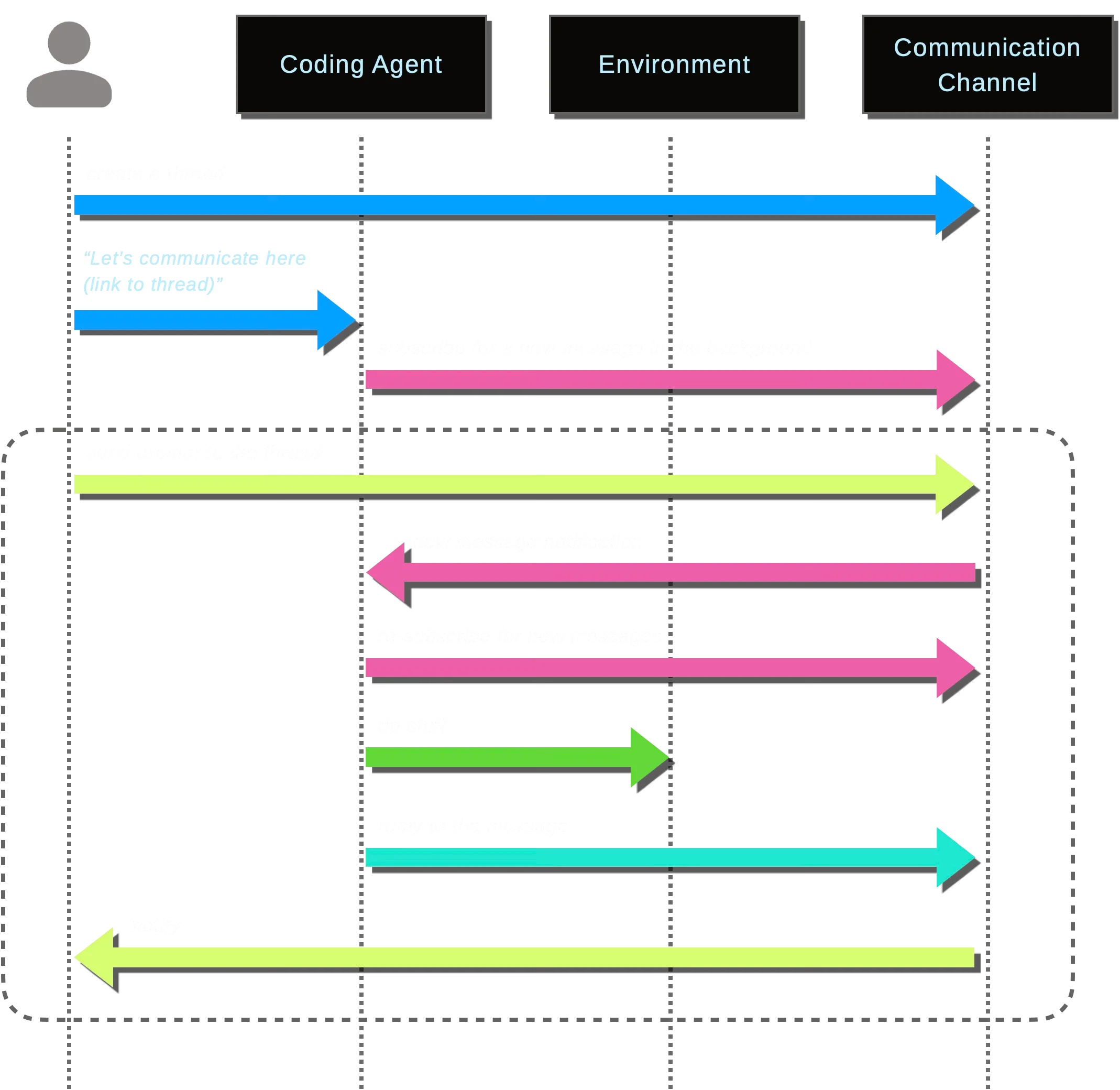
At the start of a session, I set up a communication channel and ask my agent to communicate with me in that channel.
The agent would then build a bridge which allows it to communicate with everyone in that channel, and then loops itself into it.
The bridge provides 2 primitives, which we will discuss in the next section:
- A subscription mechanism for listening to new messages
- A posting mechanism for responding to messages
The bridge
A bridge lets an agent communicate with your channel. As with most things, there are many ways to implement a bridge, but we'll start simple.
A bridge script
The first kind of bridge is a simple script that a coding agent can run to subscribe to new messages and replies. This works with most coding agents and requires almost no harness-specific logic, making it very portable. The only requirement is for an agent to be able to run a script in the background, which most coding agents support.
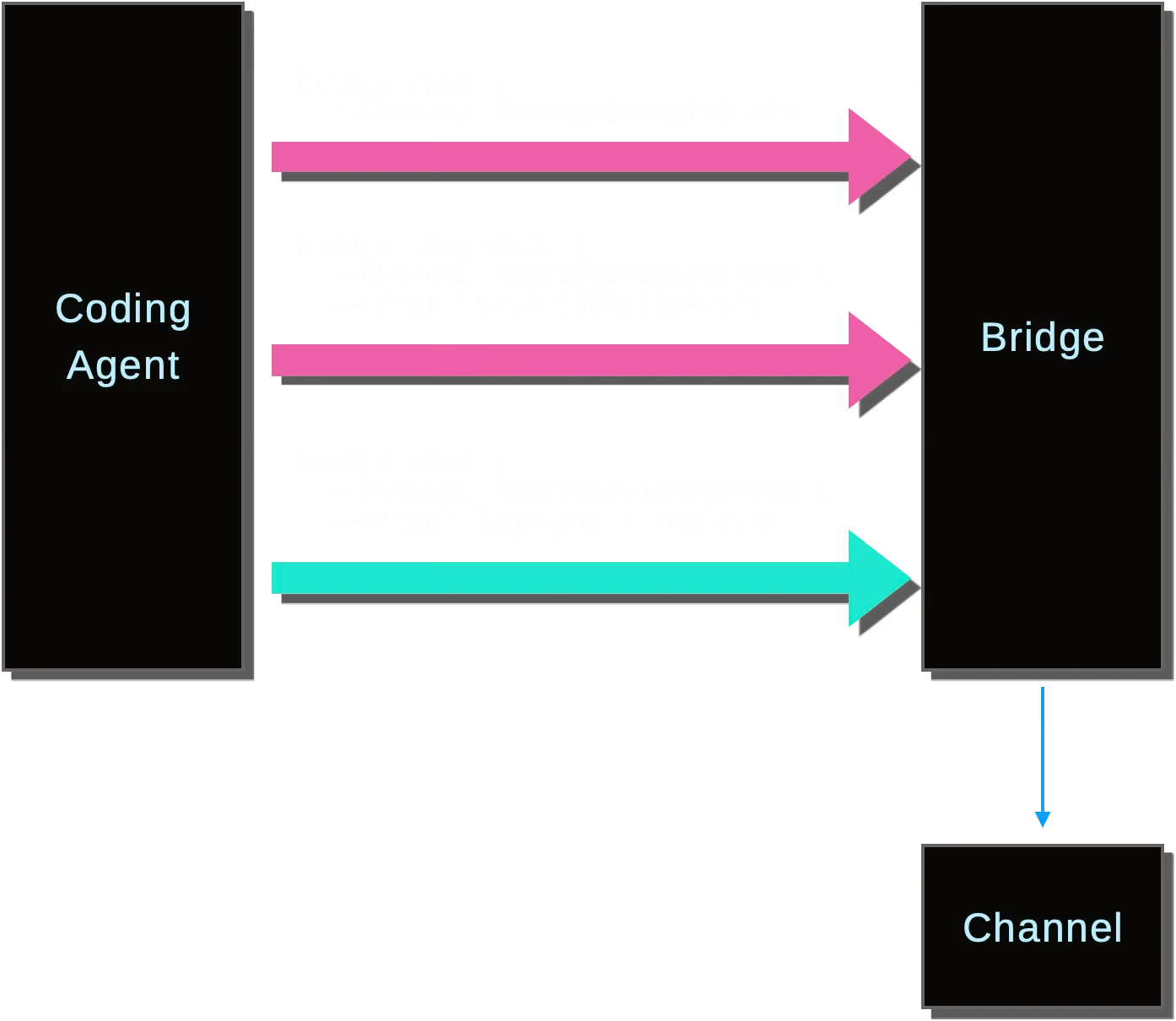
The most important subcommands are:
Subscription:
readreads the latest messages from the channel and prints them. It should support filtering for messages after a certain message (e.g. an--afterparameter). This allows an agent to read the prior context before subscribing.long-pollworks likeread, but when it finds no new messages, it keeps polling until there is a new message. Then it prints the result and exits.
Posting:
sendsends a message back into the channel.
Example bridge implementations
Here are some of the bridges I built:
- Discord — simple reference implementation
- dtinth/claw — I use this for prompting in public on GitHub. Uses a central poller.
- dtinth/dev-null-bridge — I use this for prompting in public on /dev/null. Uses a central poller.
To build your own bridge, you can refer to gangprompting-skill’s bridge-building instructions.
The subscription mechanism
The subscription mechanism lets an agent listen for new messages. A script bridge does this primarily through long-polling.
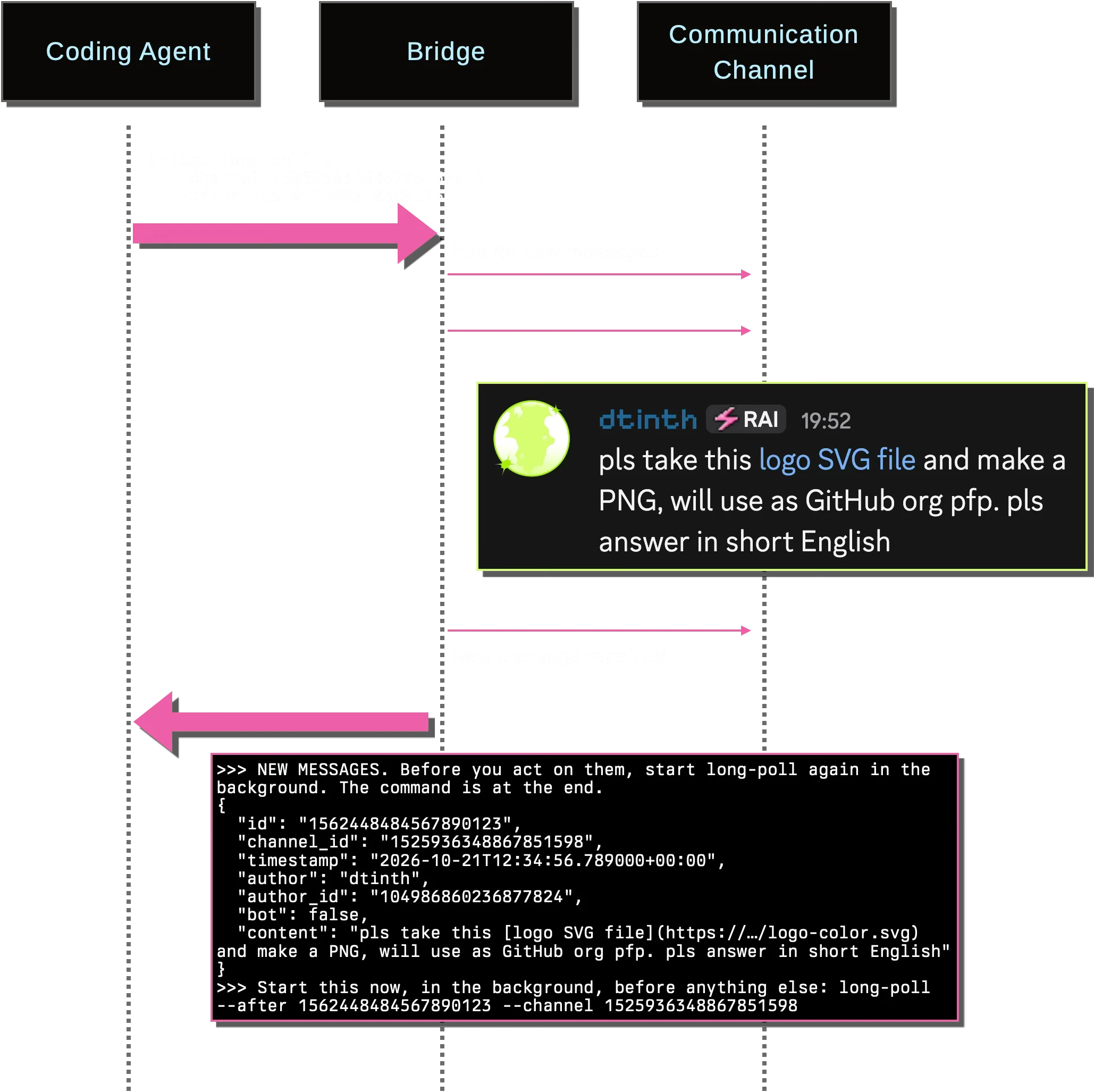
Some implementation tips:
Have the script dump the raw JSON. If you ask an agent to implement a bridge, it will most likely process each message and format it into plain text, which can discard data. For example, a script may assume you won’t be sending photos, and may drop media entirely. Having the script output the JSON directly avoids this.
Print a reminder when
long-pollexits. Right after the script exits, the agent may act on the message before re-runninglong-poll. This causes two problems:- If the work takes a long time, the agent can't hear new messages until it finishes, so you can't steer it mid-task.
- On a big task, the agent may forget to resubscribe. It then stops communicating through the channel until you return to the harness and ask it to resubscribe.
I solve this by making
long-pollprint a reminder for agents when it exits.- Print it twice. Once at the start, and once more at the end. Why? Some harnesses truncate the beginning of long shell output, while others truncate the end.
- Tell the agent how to resubscribe. Print the exact command to run next, with
--afterset to the id of the last message printed.
Filter out the agent's own messages. Make it so that
readandlong-pollskip bot messages, so the agent’s own replies don’t end the long-poll. Otherwise it will get notified of its own message, which wastes tokens. Sometimes an agent may want to re-read its own messages (e.g. after compacting). In this case, a bridge can provide an--include-botsflag.
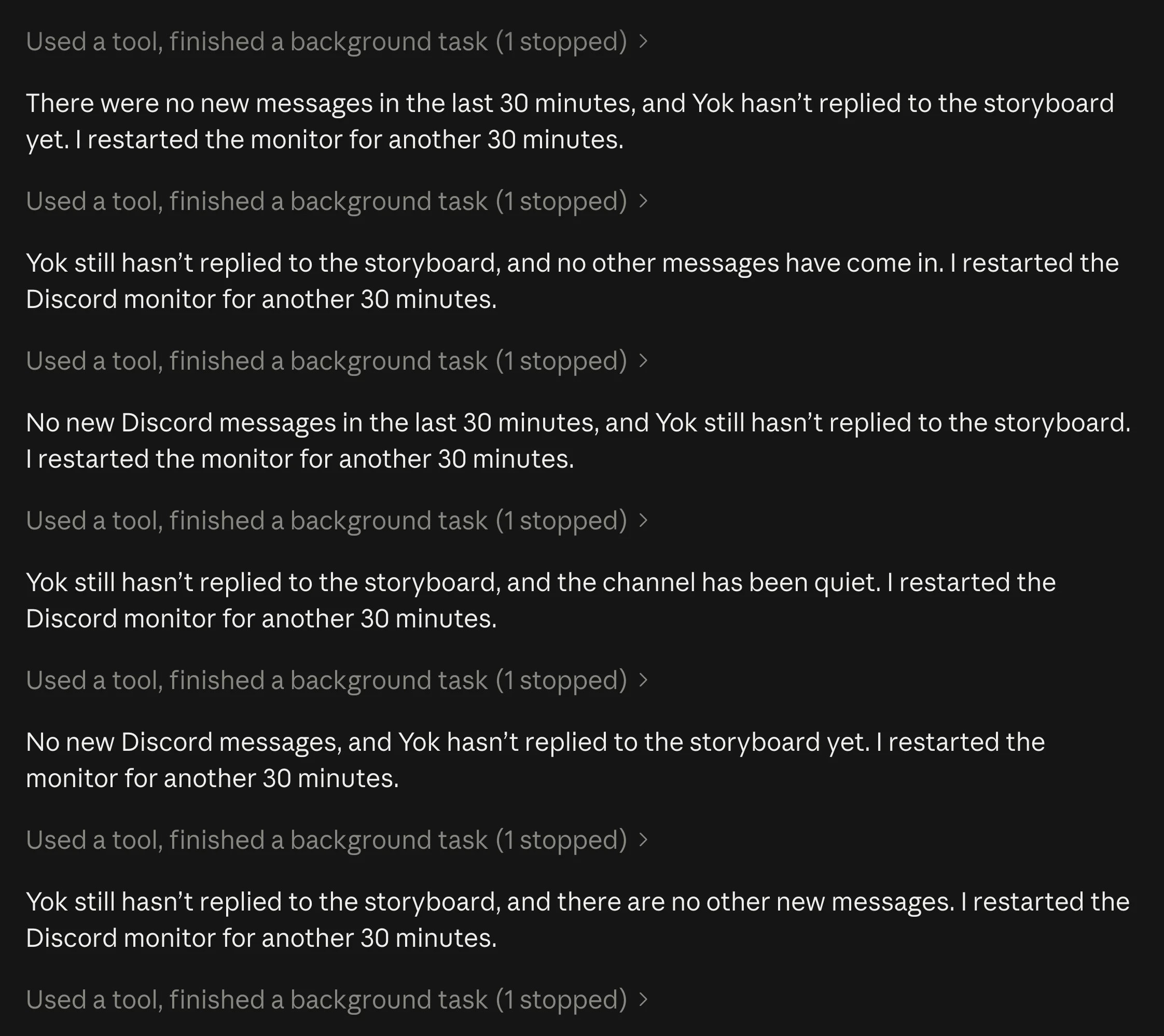
Claude Code also has a Monitor tool, which lets an agent run a background script, where each time the script outputs something, it gets injected as a message in the session. My gangprompting-skill used to use it, but recent versions of Claude Code have limited the Monitor lifetime to 30 minutes. For sessions that span days, this wastes a lot of tokens, so I had to remove it.
The posting mechanism
The posting mechanism is much simpler: a send command that posts the message to the channel.
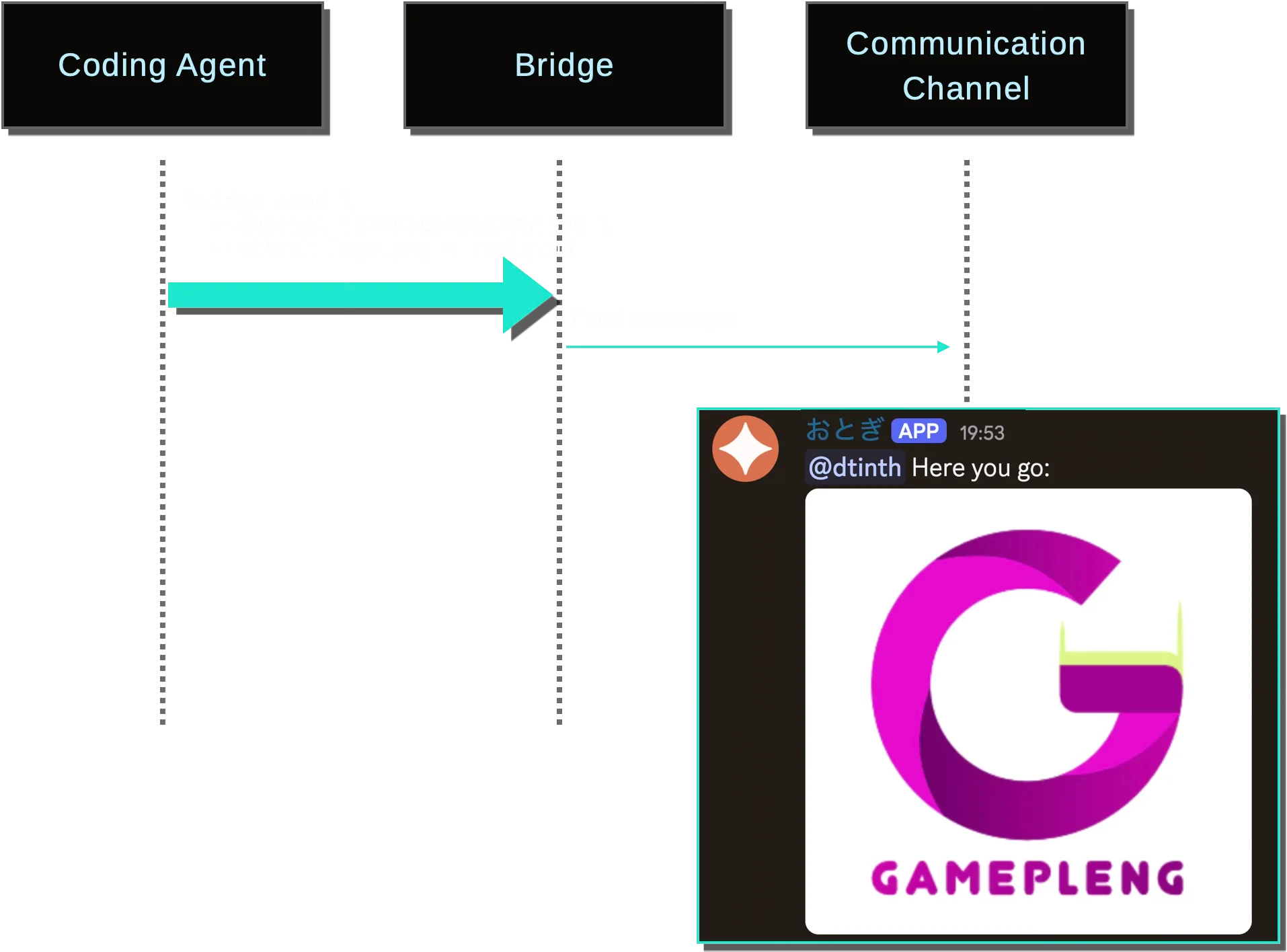
Some implementation tips:
Prefer taking the message from standard input rather than from CLI arguments. Cheaper models often get escaping wrong in shell arguments, and the message comes out garbled (especially with special characters such as
',",`, and\). Take the message body from stdin so the agent can use a quoted heredoc (<<'EOF') or write the reply to a file first and pipe it to the script.Support file uploads. This lets the agent post infographics, screenshots, etc. when you ask for one.
Sharing the poller
Small setups probably won’t need this.
As I work on more projects, I spawn more agents, each responsible for its own project. At first, every agent polled the channel by itself. This leads to 429 (too many requests) errors.
Some services support webhooks (e.g. Slack) or WebSockets (e.g. Discord) for real-time notification. Instead of every agent polling, the service tells us when something new is posted.
- Problems with webhooks: Only one URL can be configured, and webhooks need a public-facing endpoint to receive them.
- Problems with WebSockets: Most services only allow a single connection, so only one agent can connect at a time.
- Problems with both: Messages are missed when the webhook endpoint is down or the socket is not connected.
To fix this, I deploy a central poller service.
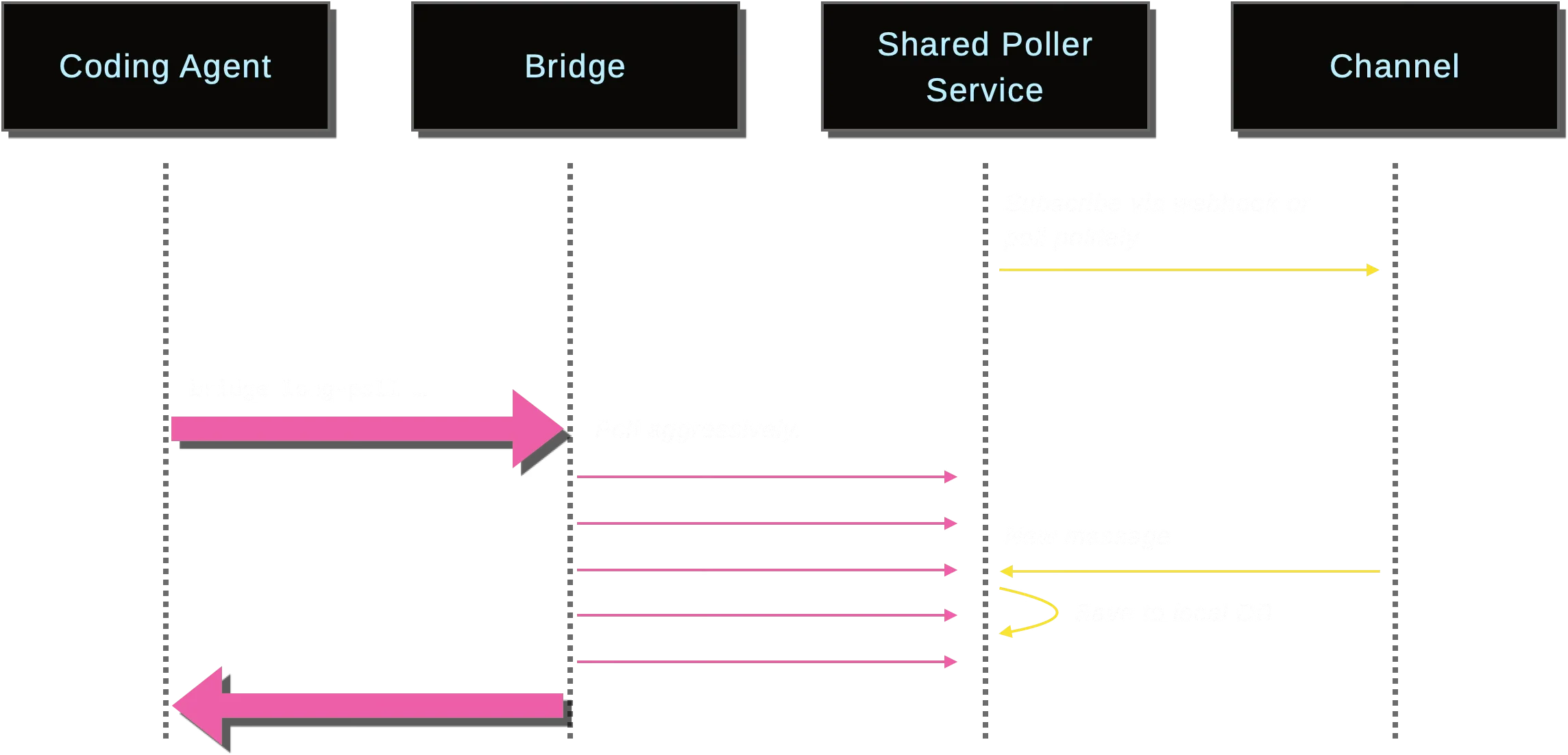
- A central poller receives new messages directly from the channel (via webhooks or WebSockets) and saves each message to a database. It also politely polls the channel in case it missed something while it was down.
- Agents poll the database instead of the channel. Since we own the service, our bridge can poll much more aggressively (e.g. every 5 seconds instead of every 20), which makes agents respond faster.
- The central service has to be reachable from the internet if you want to scale this across machines. On a single machine, a local poller and database are enough.
Harness-integrated bridges
If you use Claude Code, you probably won’t need this:
- In Claude Code, I found script bridges to work very reliably.
- I often find my login expiring way before the bridge breaks down.
- The only hiccup is when the system runs low on memory and Claude Code decides to terminate a background shell. In this case, I instructed it to back off for 5 minutes before resubscribing.
If you use other harnesses with other models, a script bridge may not be reliable enough:
- Some setups just can’t keep the
long-pollscript running for long. - Sometimes the agent forgets to resubscribe despite prompting.
- Sometimes the harness reaps the process without telling the agent.
This second kind of bridge integrates deeply with the harness. There are 3 main kinds:
A bridge that runs inside the harness
The bridge is implemented as a plugin inside the harness.
Claude Code has channels (an MCP-based way to push events into a running session with examples for Discord, Telegram, and iMessage) and mods (JavaScript-based plugins that run inside Claude Code). I haven’t used them much.
A bridge that wraps the harness
The bridge launches the harness and controls it. remorses/kimaki is one such example: it deeply integrates OpenCode with Discord.
A bridge that talks to the harness
The bridge runs as a separate daemon and communicates with the harness. For example, OpenCode has an open API that lets external scripts inject messages directly into a session.
When integrating with OpenCode, I run a daemon that polls the channel and injects each new message straight into the session via the opencode api command. (I haven’t published the code for this, but you can ask your agent to build it.)
Staying safe
- When you bring your coding agent into a group chat, make sure you trust everyone in the group enough.
- If the coding agent runs on your computer, people in the group chat will be able to prompt your agent to do stuff on your computer.
- In groups where trust is lower, consider running the agent in a sandbox or on a VPS, or consider commercial solutions.
Related
- Prompting in Public — instead of bringing your agent into a group chat to talk with everyone, you take it out into the open and talk to it there.