Prompting in Public
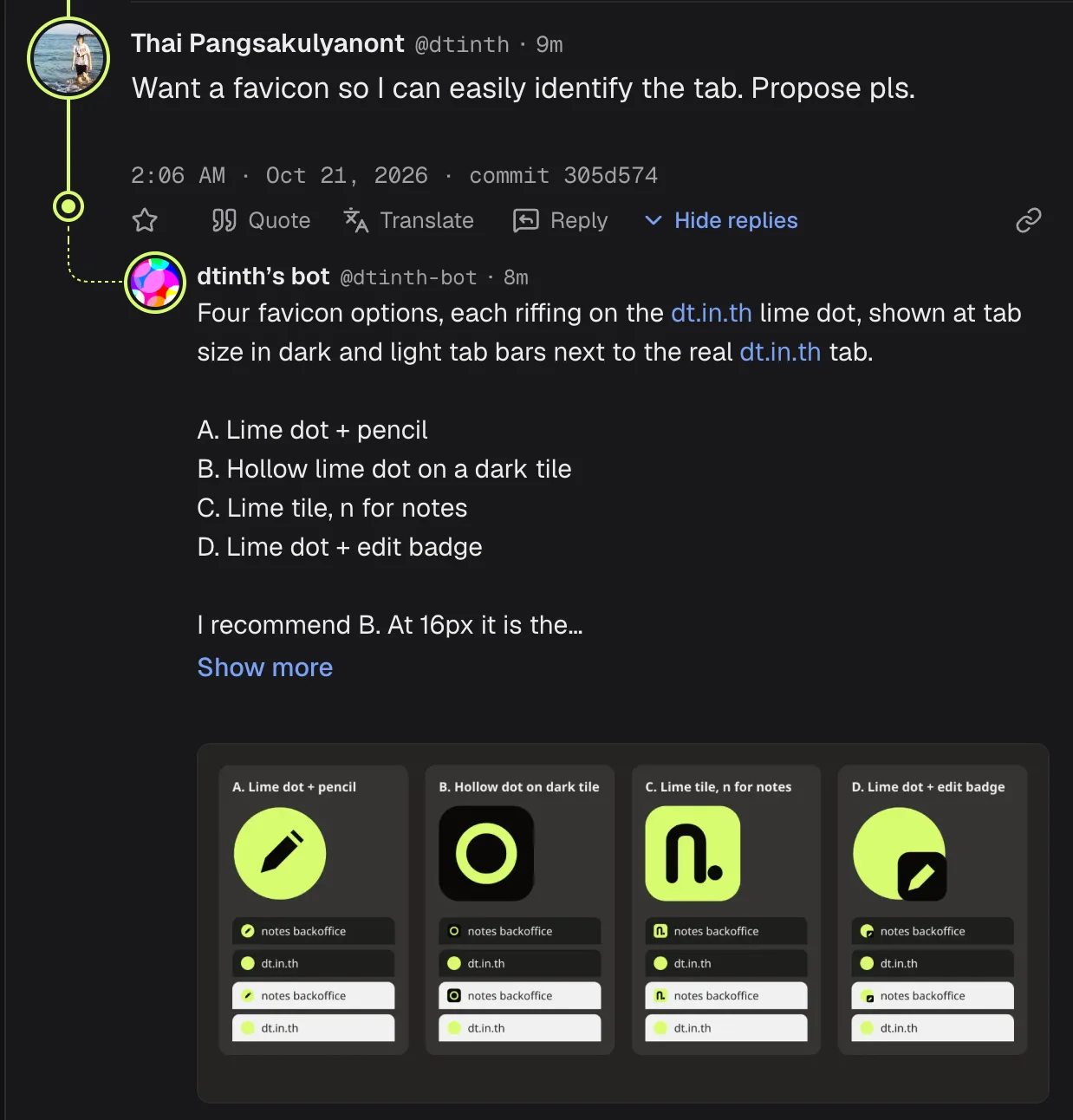
In July 2026 I started prompting my coding agents publicly when working on open source projects, first on GitHub (example), and now on /dev/null (example).
My favorite thing about it is: when I prompt in public, every prompt has a public permalink. Benefits:
- When a friend asks me how I did something, I can just link them to the actual prompt.
- When an agent writes issues or certain kinds of docs (e.g. ADRs and agent briefs), it can permalink to the source prompt. This way, an agent’s summaries can be traced back and verified against the source.
Also, as more code gets written by AI, I find myself becoming more interested in how humans prompt their agents than in the AI-generated results1. I’d rather see people talking to agents than talking about agents.
How I set up my agents for prompting in public
I had my agents build bridges for communicating over a public channel. Basically, it’s a gangprompting setup adapted to public channels. So far I've built two bridges:
- dtinth/claw (GitHub)
- dtinth/dev-null-bridge (/dev/null)
With the bridges built, to start working on a new project in the open, I would:
- Create a GitHub issue or a /dev/null commit.
- Tell my agents to talk to me via the bridge instead of directly.
I do that by invoking the skill that gets shipped with the bridge:
…or:
If you’re curious about how to build these bridges, I’ve explained them in much more detail on the dedicated Gangprompting page. Please check it out.
Unlike in gangprompting, where the agent talks to everyone in the group chat, here my agent talks to me only. Therefore, the bridge should filter out messages that aren’t from me. If I want the agent to look at or respond to someone else’s messages, I have to tell my agent explicitly and link to that message.
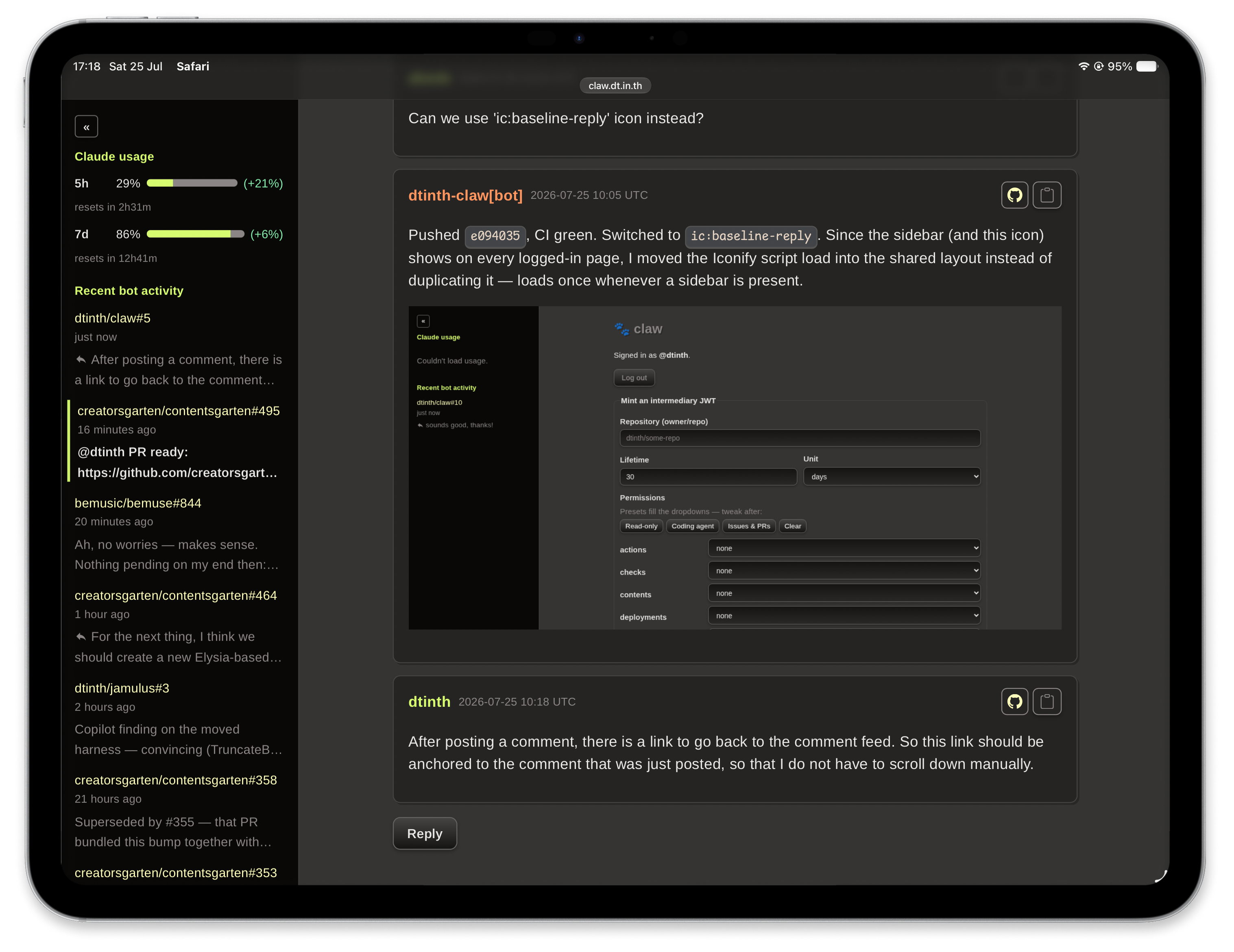
Building a custom UI for GitHub communication
Inasmuch as I'd like to prompt my agents through GitHub, its issues UI is too janky for quick prompting, so I built a custom web dashboard where I can read and reply to my agents’ GitHub comments. The full conversation is on GitHub.
Building the /dev/null bridge on /dev/null
I built the /dev/null bridge mostly by prompting my agent on /dev/null. You can read the whole conversation here. I bootstrapped the project by:
- Cloning the dev-null.sh repo (it’s open source) and put my agent in it
- I asked it to commit (post) something on my bot account, then watch for my replies to it. This is easy because the agent has access to the platform’s source code, so it knows what to do. It built a rudimentary bridge.
- I started prompting it to turn that prototype into a central poller. We designed how subscriptions would work, built a web dashboard for inspecting, and discussed how to explain how it works with diagrams.
Other things I built by prompting in public
- 34bench — OCR eval testing how well different models can read a very old faded Thai document scan from the 1970s.
- vxbeamer — My personal speech-to-text transcriber that instantly syncs across devices
- Evaluated 37 speech-to-text models over multiple months.
- Built and improved the Android app

Footnotes
I still very much enjoy beholding the beauty of some tastefully-produced human-written code, though. ↩